

1
Create Bawabah App
Start By Creating an app on bawabah.app.
2
Front-end
Implement Bawabah in your website by using our Hosted Login page or Login Form.
3
Back-end
Capture users’ data after they login to your site with Bawabah.
Create Your First App
- Login to your Bawabah Developer Account: https://bawabah.app/dev/login.
-
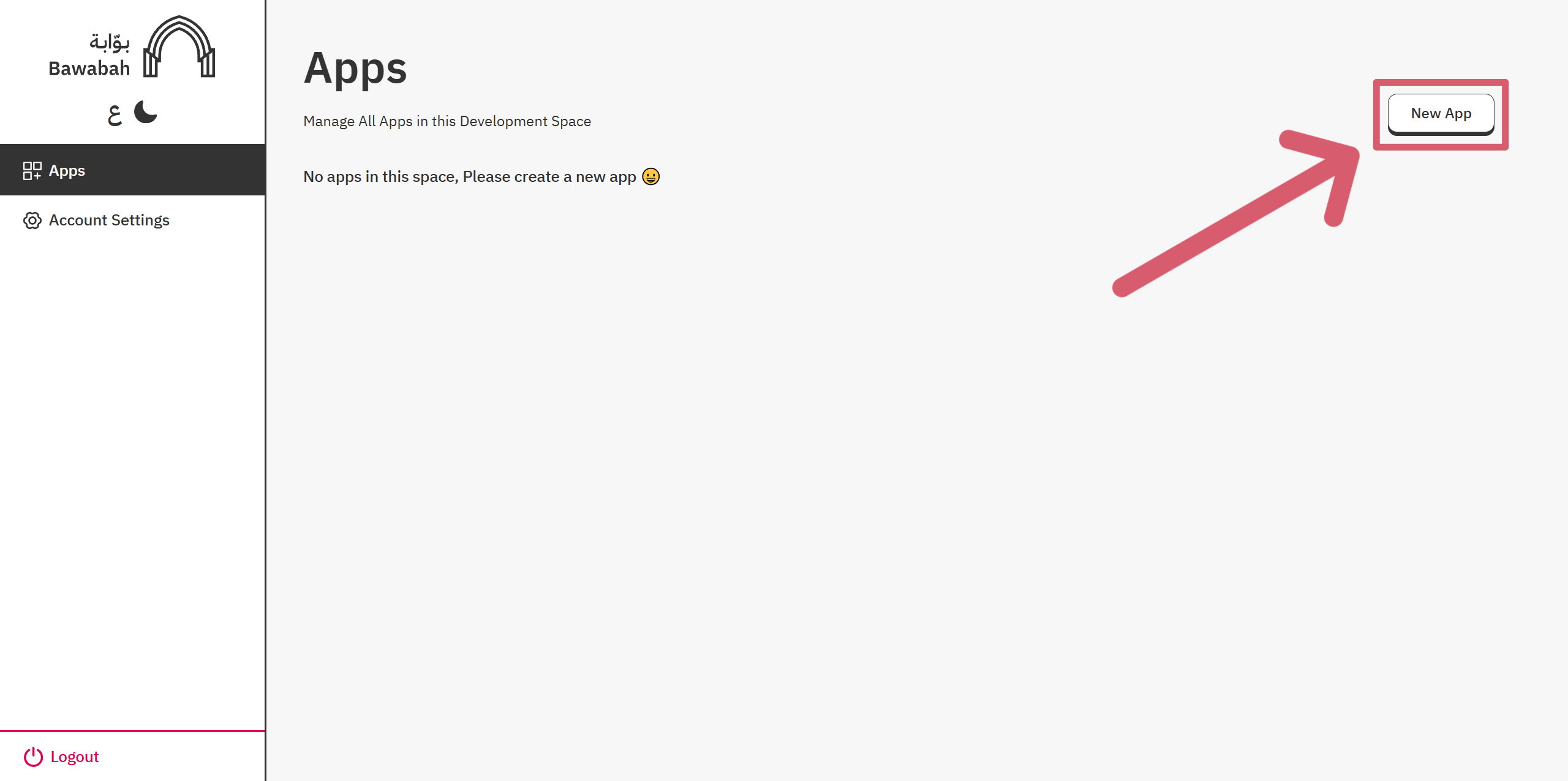
Click “New App” button to create a new App.
-
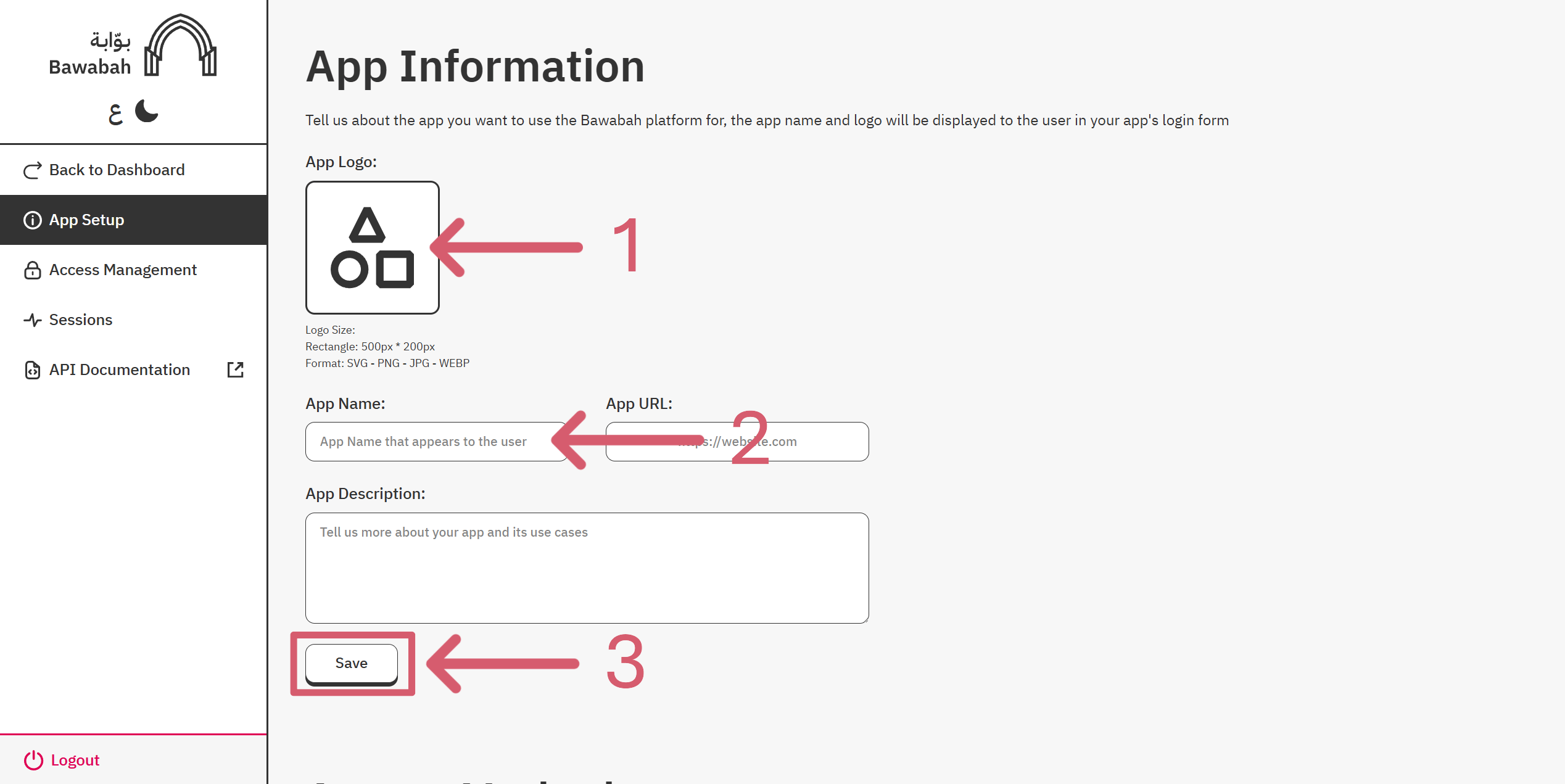
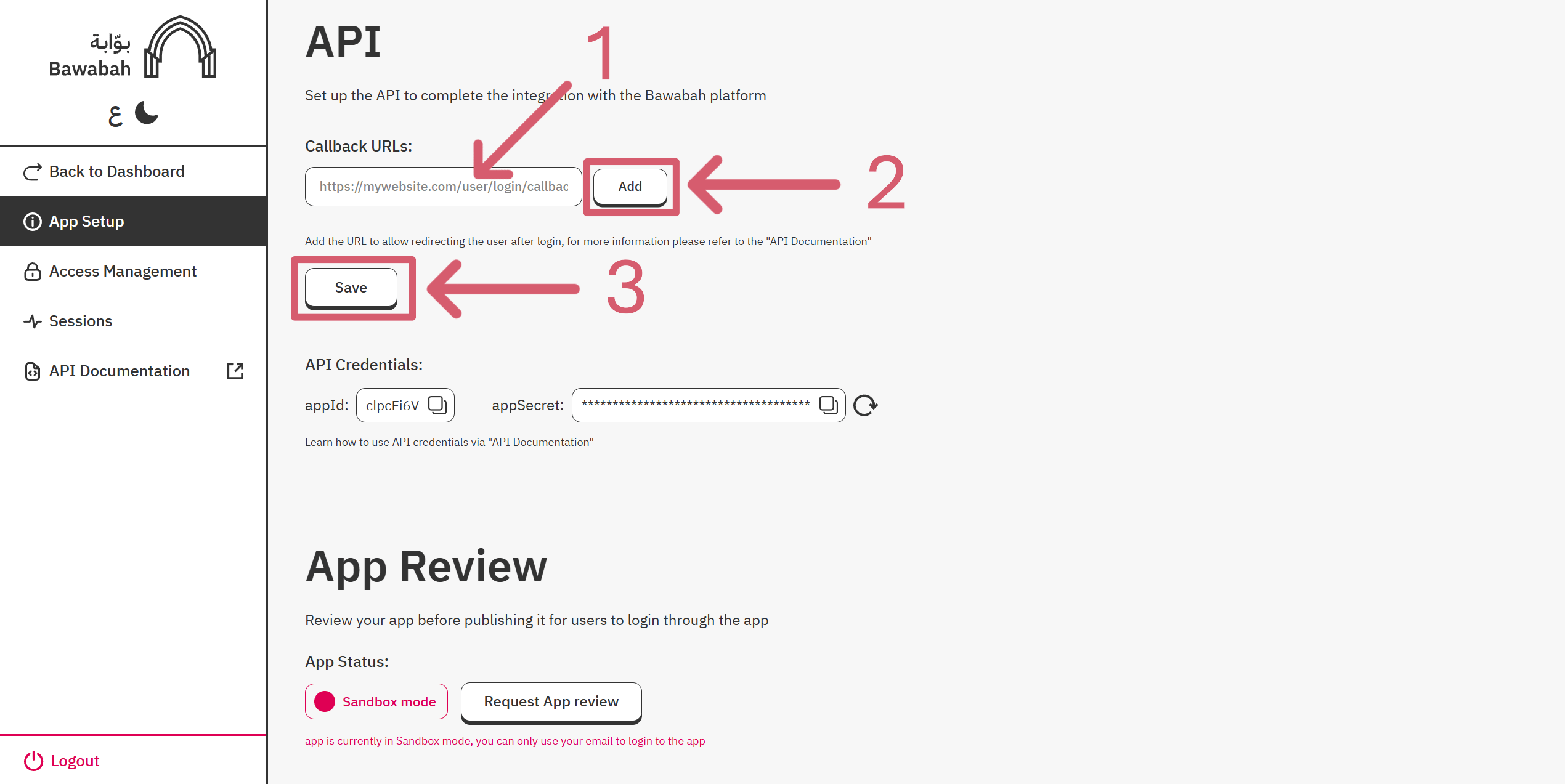
Set up Your App by adding App Logo and App Name, and Add At least 1 callback URL.
-
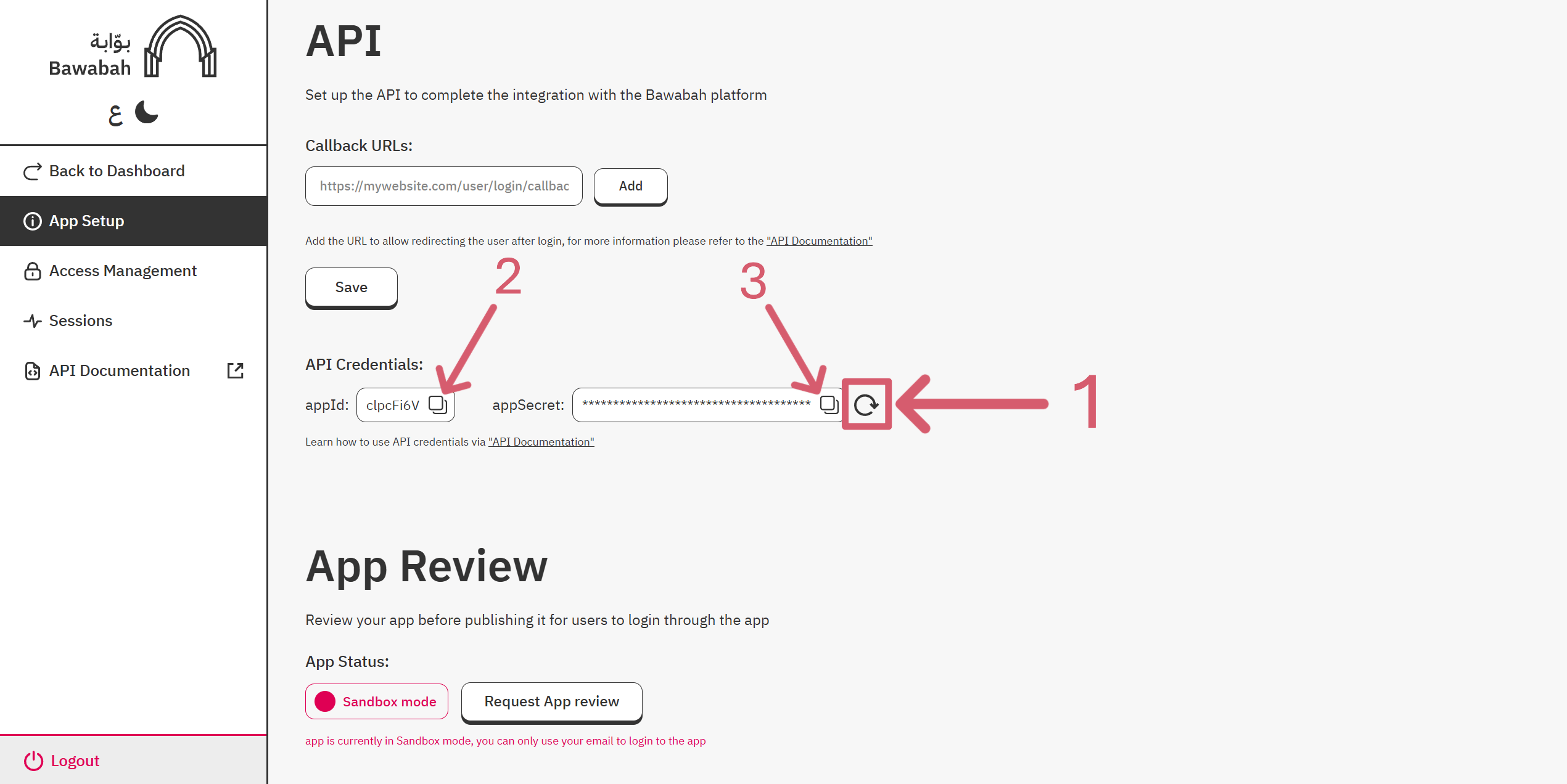
Regenerate your AppSecret, then copy appId and appSecret For Later Use.
Front-end
There are two ways to use Bawabah in your project:Hosted Login
A login page hosted on Bawabah website redirects user to your website after login.
Form Login
A login form can be used anywhere on your website.
Setup Hosted Login
Edit the URL below to access your login hosted page:ReplaceWhen users click the login button on your website, they are redirected to the hosted login page URL. After completing the login process, they will be redirected back to your website via the callback URL, which includes a{your-app-id}with your appId and{your-callback-url}with your callback URL From Create Your First App Step.
sessionId query parameter for the user session to capture.
For Example:If your appId is
4y83w4f And your callback URL is https://mywebsite.com/login/callback Then the hosted login URL will be https://bawabah.app/login?appId=4y83w4f&callbackUrl=https://mywebsite.com/login/callback&fullscreen=true
Setup Form Login
If you followed the last step (Setup Hosted Login) no need to set up a login form. Alternatively, if you wish to host the login form on your own website, you can follow the guide on Form Login.Back-end
In case you use a language other than Node.js or you prefer to integrate with Bawabah API manually, please refer to our API Reference.
Install Bawanah Library
First, we have to install Bawabah Library from NPM (https://www.npmjs.com/package/bawabah) using the command:Replace{your-app-id}with your appId and{your-app-secret}with your appSecret From Create Your First App Step.
Create Callback Route
Now we will create the callback route to capture the user session. In this example, we will use Express.js to create the route, then capture the user session with thecapture() function:
But before that, we need to install Express.js using this command:
Need help? Join our community.
Discover more
Continue discovering Bawabah:Login Page
Leading Login Solution.
Form Login
Customize Bawabah login form on your website.
Back-end
Connect to Bawabah API.
Examples
Code implementation Examples.