> ## Documentation Index
> Fetch the complete documentation index at: https://docs.bawabah.app/llms.txt
> Use this file to discover all available pages before exploring further.
# Introduction
> Welcome to Bawabah Documentation
## Pre-Requirements
Before starting to use Bawabah, you have to have:
1. Bawabah Developer Account (Create if you don't have one at: [https://bawabah.app/dev/login](https://bawabah.app/dev/login)).
2. Node.js Version 18+ (Download from here: [https://nodejs.org/en/download](https://nodejs.org/en/download)).
Navigate to Quick Start.
## How Does it Work?
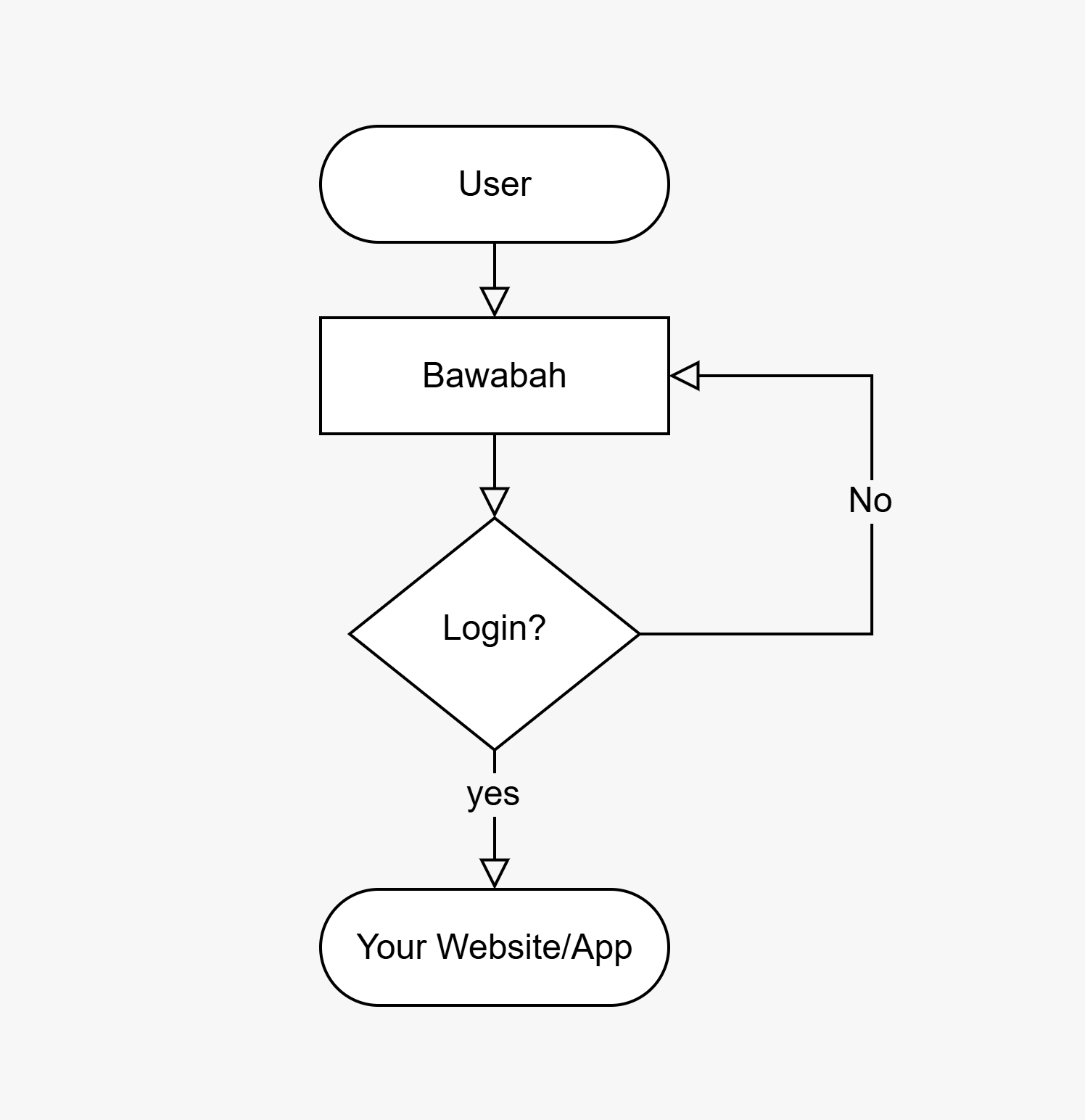 ## Documentation Structure
Implementation Preparation + Requirements.
To Start Quickly, with minimal setup needed.
Learn how to implement the Login Flow with well-explained examples and diagrams.
The best way to Learn is By Example.
Navigate to Quick Start.
Leading Login Solution.
Customize Bawabah login form on your website.
Code implementation Examples.
## Documentation Structure
Implementation Preparation + Requirements.
To Start Quickly, with minimal setup needed.
Learn how to implement the Login Flow with well-explained examples and diagrams.
The best way to Learn is By Example.
Navigate to Quick Start.
Leading Login Solution.
Customize Bawabah login form on your website.
Code implementation Examples.