> ## Documentation Index
> Fetch the complete documentation index at: https://docs.bawabah.app/llms.txt
> Use this file to discover all available pages before exploring further.
# Hosted Login
> Setup Bawabah Hoseted Login Solution.
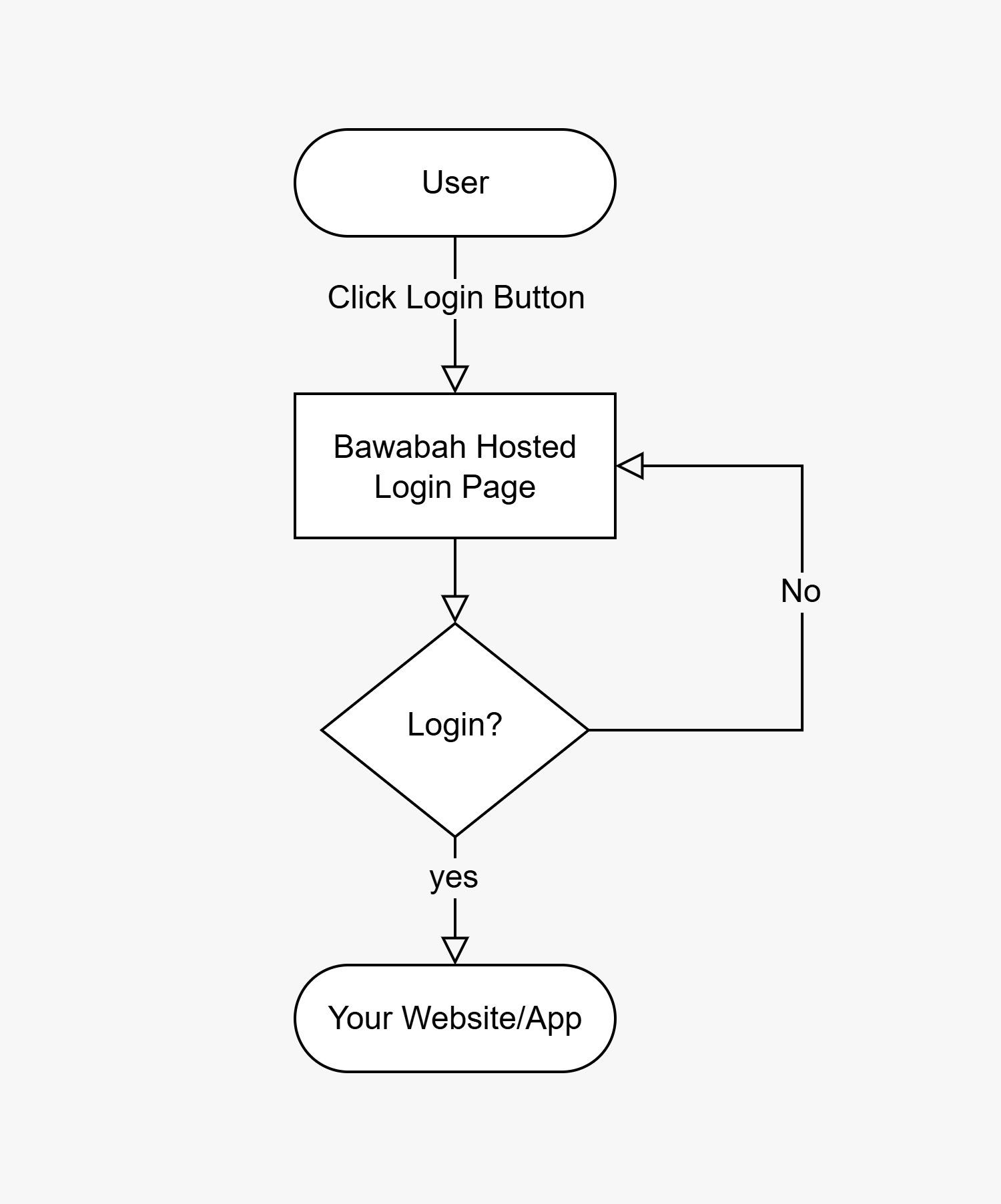
## Hosted Login Flow
 ## Setup Hosted Login
Edit the URL below to access your login hosted page:
```
https://bawabah.app/login?appId={your-app-id}&callbackUrl={your-callback-url}&fullscreen=true
```
> Replace `{your-app-id}` with your appId and `{your-callback-url}` with your callback URL From [Create Your First App](/getting-started/en/quickstart#create-your-first-app) Step.
When users click the login button on your website, they are redirected to the hosted login page URL. After completing the login process, they will be redirected back to your website via the callback URL, which includes a `sessionId` query parameter for the user session to capture.
**For Example:**\
If your appId is `4y83w4f` And your callback URL is `https://mywebsite.com/login/callback` Then the hosted login URL will be `https://bawabah.app/login?appId=4y83w4f&callbackUrl=https://mywebsite.com/login/callback&fullscreen=true`
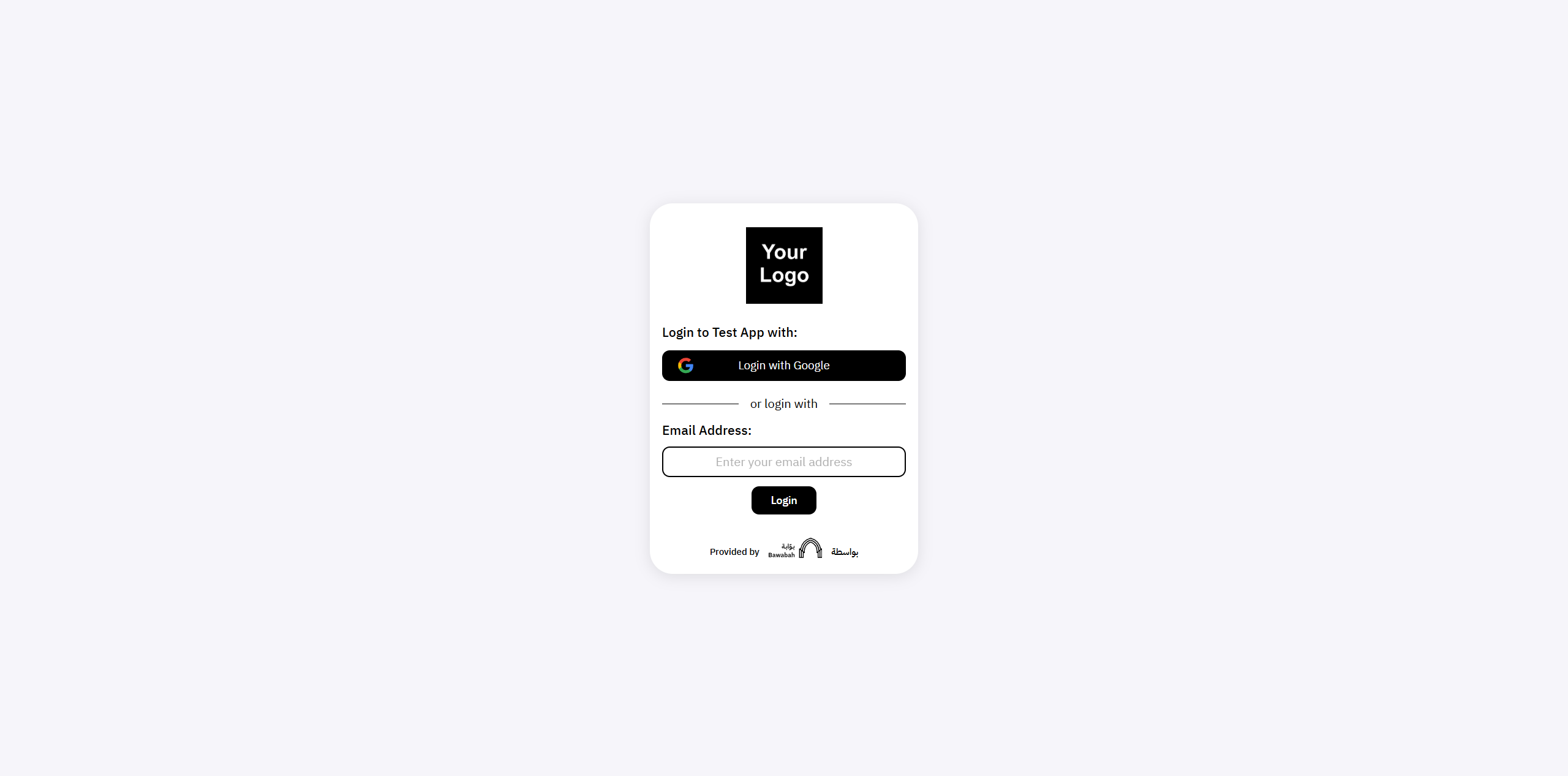
And this is what your users will see when they visit your hosted login page:
## Setup Hosted Login
Edit the URL below to access your login hosted page:
```
https://bawabah.app/login?appId={your-app-id}&callbackUrl={your-callback-url}&fullscreen=true
```
> Replace `{your-app-id}` with your appId and `{your-callback-url}` with your callback URL From [Create Your First App](/getting-started/en/quickstart#create-your-first-app) Step.
When users click the login button on your website, they are redirected to the hosted login page URL. After completing the login process, they will be redirected back to your website via the callback URL, which includes a `sessionId` query parameter for the user session to capture.
**For Example:**\
If your appId is `4y83w4f` And your callback URL is `https://mywebsite.com/login/callback` Then the hosted login URL will be `https://bawabah.app/login?appId=4y83w4f&callbackUrl=https://mywebsite.com/login/callback&fullscreen=true`
And this is what your users will see when they visit your hosted login page:
 ## Design & Customization
Your hosted login page can be customized further using CSS, Learn more in [Customization](/custom/en).
## Design & Customization
Your hosted login page can be customized further using CSS, Learn more in [Customization](/custom/en).